Microtransactions
This Example has a Video Tutorial that you can find here: Related Video
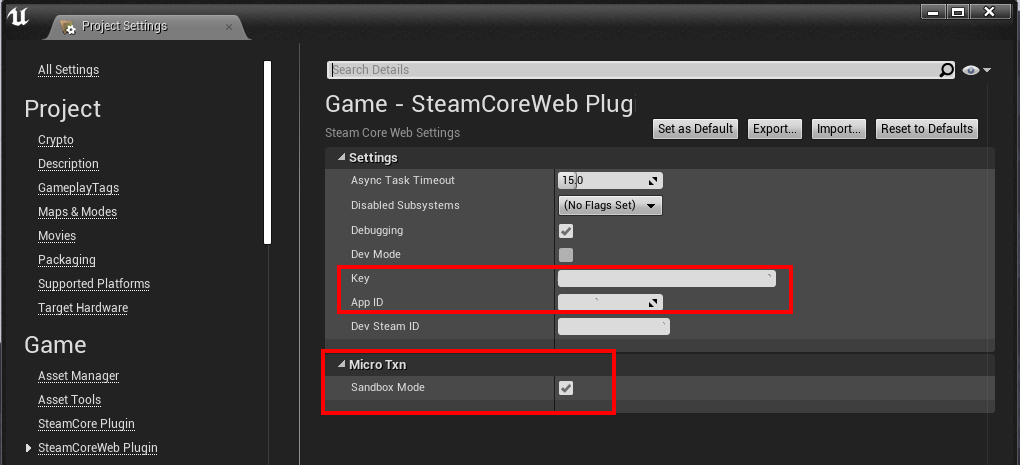
Plugin Settings
Make sure your SteamCore::Web Project Settings are set, don’t forget to enable “Sandbox mode” for MicroTXN Interface (this way, you won’t be charged money when testing transactions)
Steamworks Settings
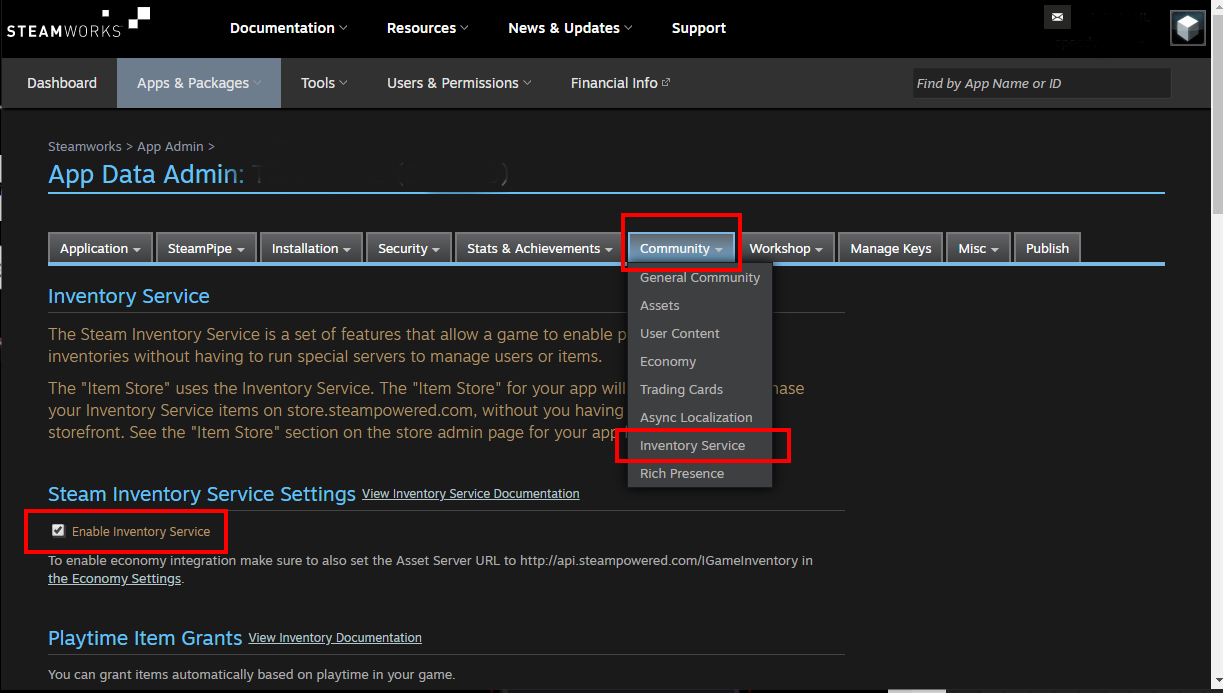
Edit your Steamworks Settings for your application, navigate to Community > Inventory Service, make sure Enable Inventory Service is enabled.
Item Definitions
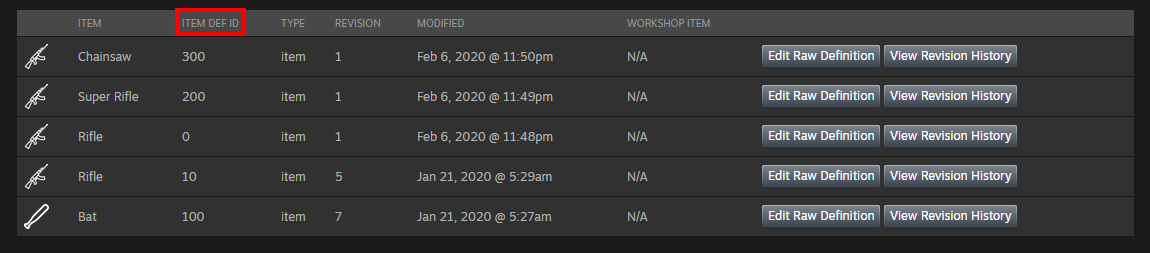
You need to define your Item definitions (items that are purchasable etc)
Definition Example
{
	"appid": 480,
	"items": [
	{
		"itemdefid": 10,
		"type": "playtimegenerator",
		"bundle": "100x100;101x50;102x25;103x2;110x20;111x20;120x5;121x3",
		"name": "Drop Generator",
		"name_color":  "7D6D00",
		"background_color":  "3C352E",
		"item_slot": "generator",
		"item_quality": 0,
		"icon_url": "http://cdn.beta.steampowered.com/apps/440/icons/c_fireaxe_pyro_xmas_large.fa878752e1aa09a721a03042a234063b6c929278.png",
		"icon_url_large": "http://cdn.beta.steampowered.com/apps/440/icons/c_fireaxe_pyro_xmas_large.fa878752e1aa09a721a03042a234063b6c929278.png",
		"tradable": false,
		"marketable": false
	},
	{
		"itemdefid": 100,
		"type":  "item",
		"name": "Hat decoration",
		"description": "Hat decoration description",
		"price": "1;USD99",
		"name_color":  "7D6D00",
		"background_color":  "3C352E",
		"item_slot": "decoration",
		"item_quality": 0,
		"icon_url": "http://cdn.beta.steampowered.com/apps/440/icons/c_fireaxe_pyro_xmas_large.fa878752e1aa09a721a03042a234063b6c929278.png",
		"icon_url_large": "http://cdn.beta.steampowered.com/apps/440/icons/c_fireaxe_pyro_xmas_large.fa878752e1aa09a721a03042a234063b6c929278.png",
		"tradable": true,
		"marketable": true
	},
	{
		"itemdefid": 200,
		"type":  "item",
		"price": "1;VLV100",
		"name_english": "Red Hat",
		"name_german":  "Roter Hut",
		"description_english": "Red Hat",
		"description_german": "Roter Hut",
		"store_tags": "hat;featured",
		"icon_url": "http://cdn.beta.steampowered.com/apps/440/icons/c_fireaxe_pyro_xmas_large.fa878752e1aa09a721a03042a234063b6c929278.png",
		"icon_url_large": "http://cdn.beta.steampowered.com/apps/440/icons/c_fireaxe_pyro_xmas_large.fa878752e1aa09a721a03042a234063b6c929278.png",
		"tradable": true,
		"marketable": true
	}
	]
}
Initiate the Transaction
In this example, we’re going to purchase a “Rifle” and a “Bat” with ItemDefID (10 and 100)
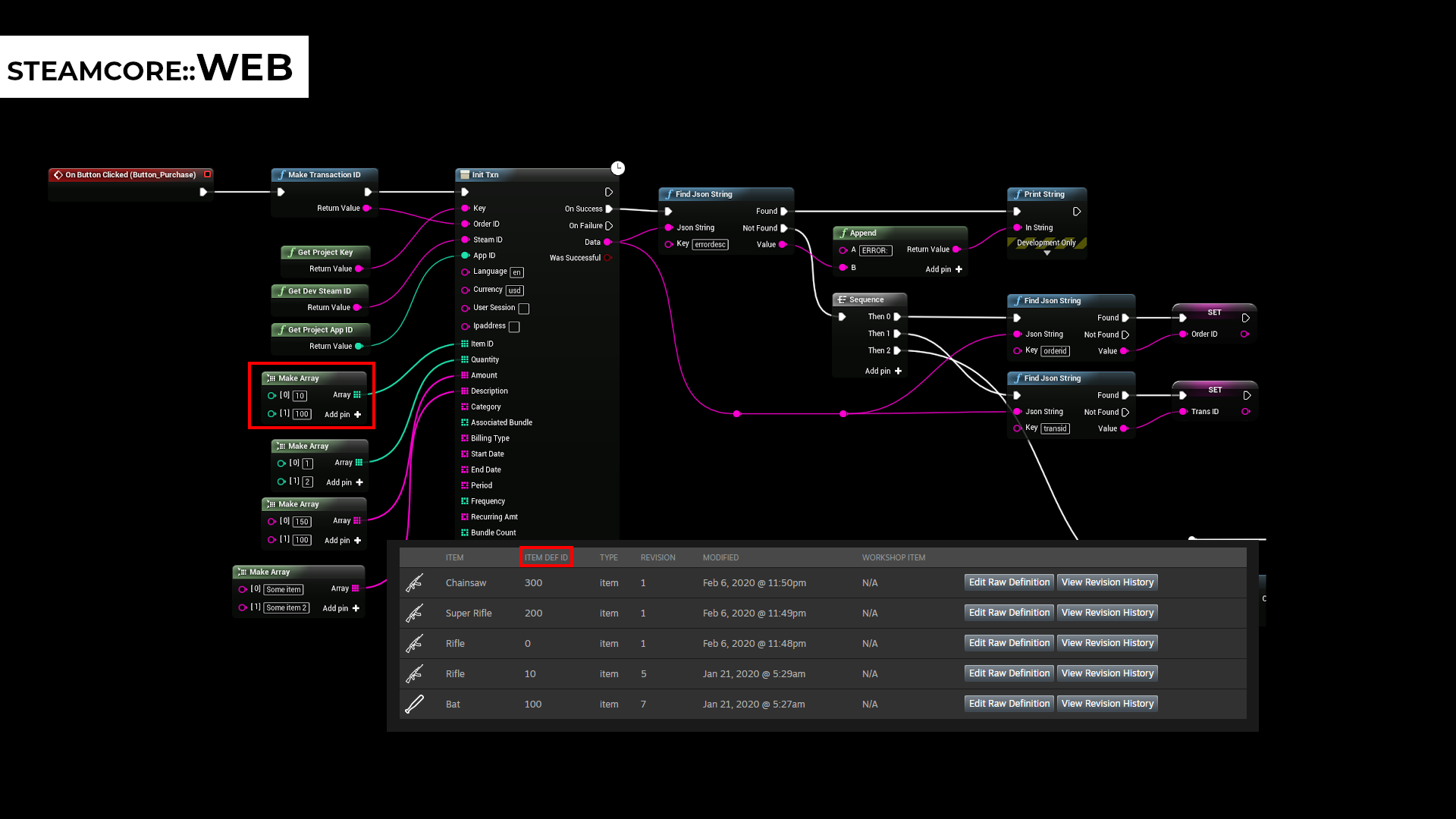
Purchase Example
A short demo video of purchasing the “Bat”, you can download the Example Project to see the full example
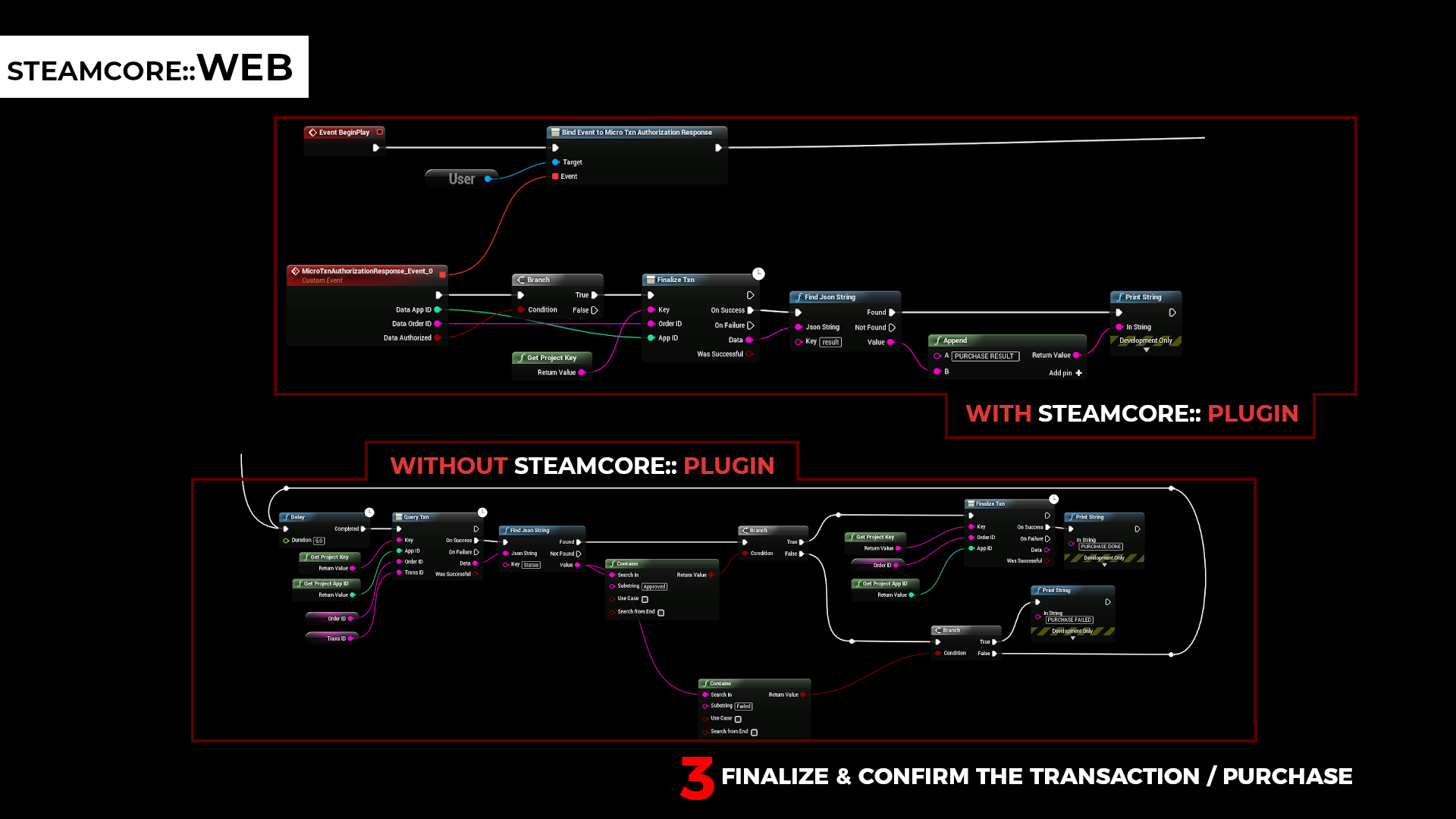
Finalizing the Transaction
You have the ability to finalize the transaction (after the user has confirmed their purchase) without SteamCore::, you can see both code examples below. (Also available in the Example Project)